Masking the annoying detail in UX
One of the technical hurdles I faced when building RunKWC was how to keep your phone screen from dimming while you’re on your run. Since it’s built directly on the browser, I didn’t have access to mobile platform-specific APIs that can do this natively.
Fortunately, most modern browsers now support the Screen Wake Lock API. Through Javascript, you can request a “wake lock” to keep your screen awake. Unfortunately, on iOS, requesting a wake lock requires a user gesture—a tap, a swipe, something.
I’ve seen this used quite often when reading recipe websites on my phone. Once you’ve scrolled a mile and closed a bunch of ads to get to the actual recipe, you might notice one of these little doohickeys:
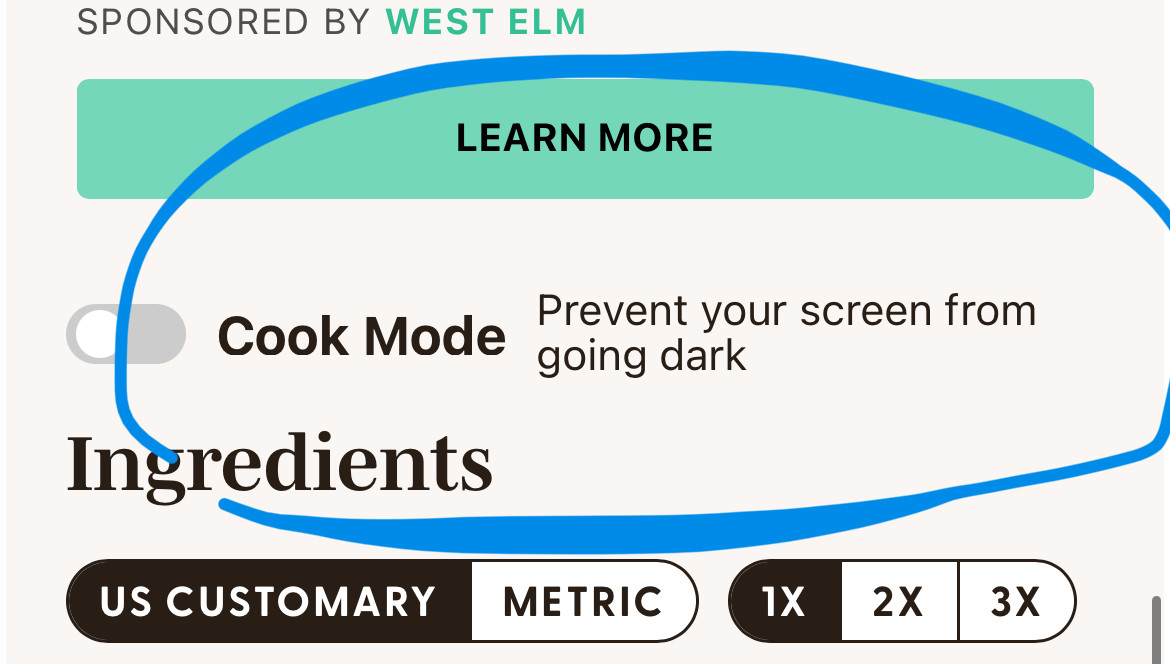
Tapping the “Cook Mode” toggle requests a wake lock from the Screen Wake Lock API, preventing your phone from dimming.
The “Cook Mode” is there to satisfy the iOS user gesture requirement to request the wake lock.
I don’t like this experience. Yes, it exposes a detail that users certainly will care about. In this case, preventing you from having to unlock your phone with your knuckles because your fingers are panko-breaded.
But it’s not the kind of thing that the user’s thinking about. Not the kind of hurdle most would realize even has to be overcome. It’s a very clunky technical detail to expose.
But if iOS requires the gesture, how do you get around it?
In RunKWC, I implement the same wake lock gesture requirement but I mask the reason.
When you start a new run, the first screen reminds you to put in your earbuds. You tap the purple button when you’re ready.
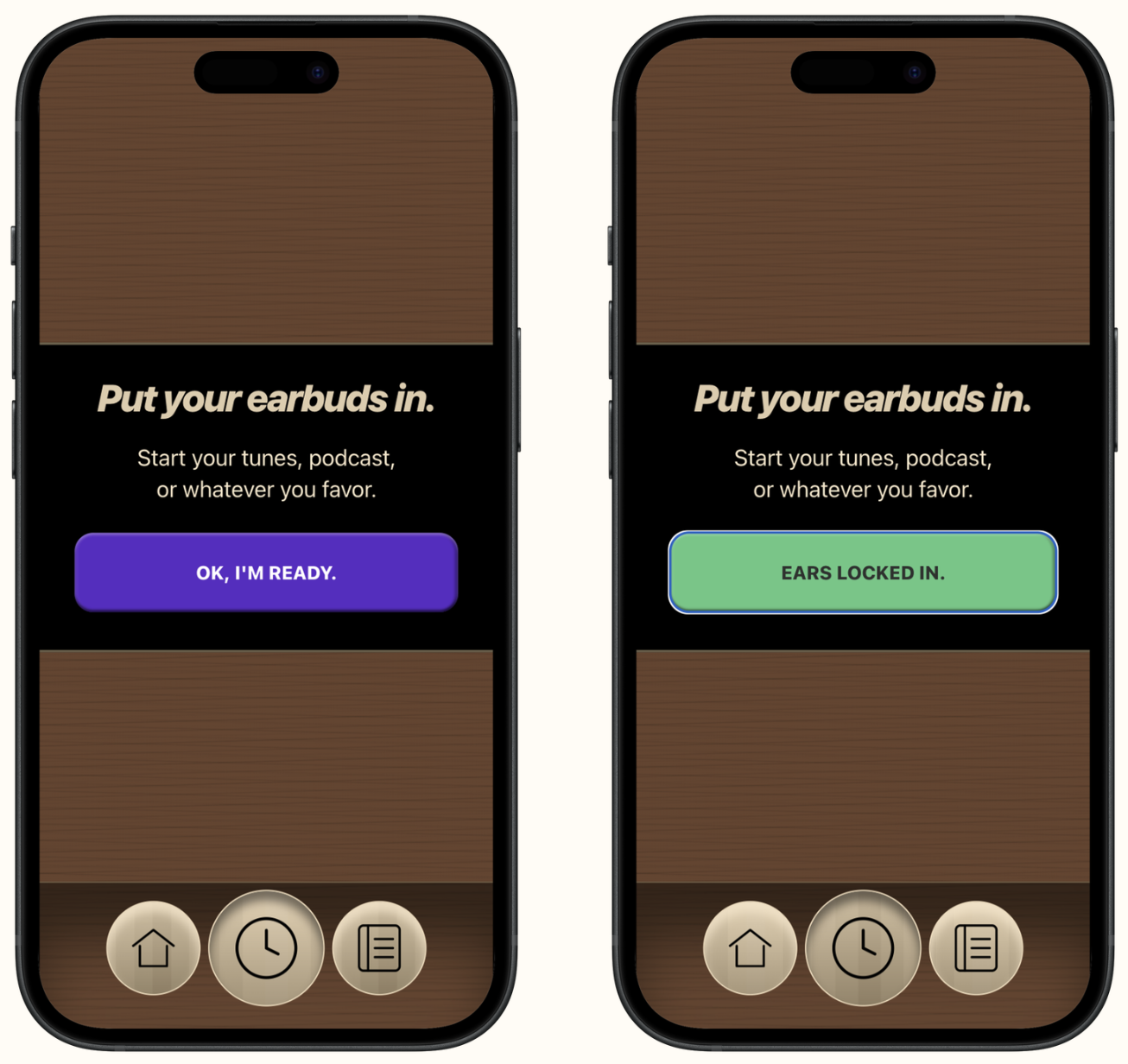
Tapping the purple button initiates the wake lock API request without exposing that annoying detail to the runner.
The tap feels like you’re confirming that your earbuds are in—a natural first step in getting ready for your run. But it’s also a clever way to implement the gesture required for the app to request the wake lock without the runner knowing it.
Upon a successful grant of the wake lock, the button morphs into green with the label “Ears locked in” for a hot second, before moving on to your time selection. (On the rare exception the wake lock request isn’t granted, then it exposes the detail—it will let the runner know their screen may dim while running).
This may seem deceitful. The spirit of the iOS gesture requirement is to give the runner the control of whether their screen can be kept on. They should know what they’re allowing to happen, shouldn’t they?
But, absolutely no one would want to have the alternative: To keep tapping their phone periodically on a treadmill run to keep their screen awake. And when the runner finishes their run and exits the timer, RunKWC automatically releases the wake lock.
A sleight-of-hand for everyone’s good.
This idea isn’t new. For the same reason it’s why elevators have mirrors, or why Disney rides have themed environments, and games to play while you’re waiting.
Embrace constraints. Get crafty and clever. Design with good intentions.
And deceive benevolently.